Tech
How the HubSpot-QuickBooks Integration Drives Business Efficiency
 6 min read


Ever Feel Like Your Sales and Finance Teams Are on Different Planets?
Let's be honest. For a lot of us, the sales and accounting parts of the business barely talk. Your sales team is out there, closing deals and celebrating every win. Meanwhile, your finance team is stuck at their desks, buried in spreadsheets, just trying to figure out who paid what. And they only really connect when something goes wrong—a missed invoice, a late payment, or a mistake on a customer's bill.
This isn’t just annoying. This disconnect is a real problem. It’s costing you time and money, and it's making it nearly impossible to get a clear, single view of your business. The issue isn't your team members; it’s the old system. When all your important data is scattered in different places, things are bound to get messy. And that’s exactly where the HubSpot-QuickBooks Online integration comes in. It’s not just some fancy tool; it's a bridge, connecting two of your most important departments into one smart, unified system.
The Manual Mess: A Day in the Life Without Integration
Remember that feeling of dread when you have to manually copy and paste information from one system to another? That’s what’s happening every single day in businesses without this kind of connection.
Think about a regular day. A sales rep, let's say her name is Maria, just closed a big deal. She marks it as "Closed Won" in HubSpot. Then she has to send a separate email to a teammate in accounting, Mark, with all the details—customer name, total amount, the products sold. Mark then has to open QuickBooks, find the customer, and type in all that information.
This process is a minefield for simple but costly mistakes. What if Maria types the name wrong? What if Mark gets a number mixed up? These little errors can lead to hours of chasing down problems later.
All that manual work creates a ton of headaches:
- Bad Predictions: Your sales team can't forecast future revenue with any real confidence because they don't know who has actually paid their bills.
- Time Wasted: People spend way too much time on boring, repetitive data entry. That’s time they could have spent on building relationships or strategising on new business.
- Slow Payments: If an invoice takes forever to get created and sent, it takes forever to get paid. And a slow cash flow is never good for business.
- Annoying Customers: When a customer calls with a billing question, your team has to put them on hold to go find the answer. It’s clunky and unprofessional.
Stop the Mess: Get Real-Time Sales and Finance Clarity Today
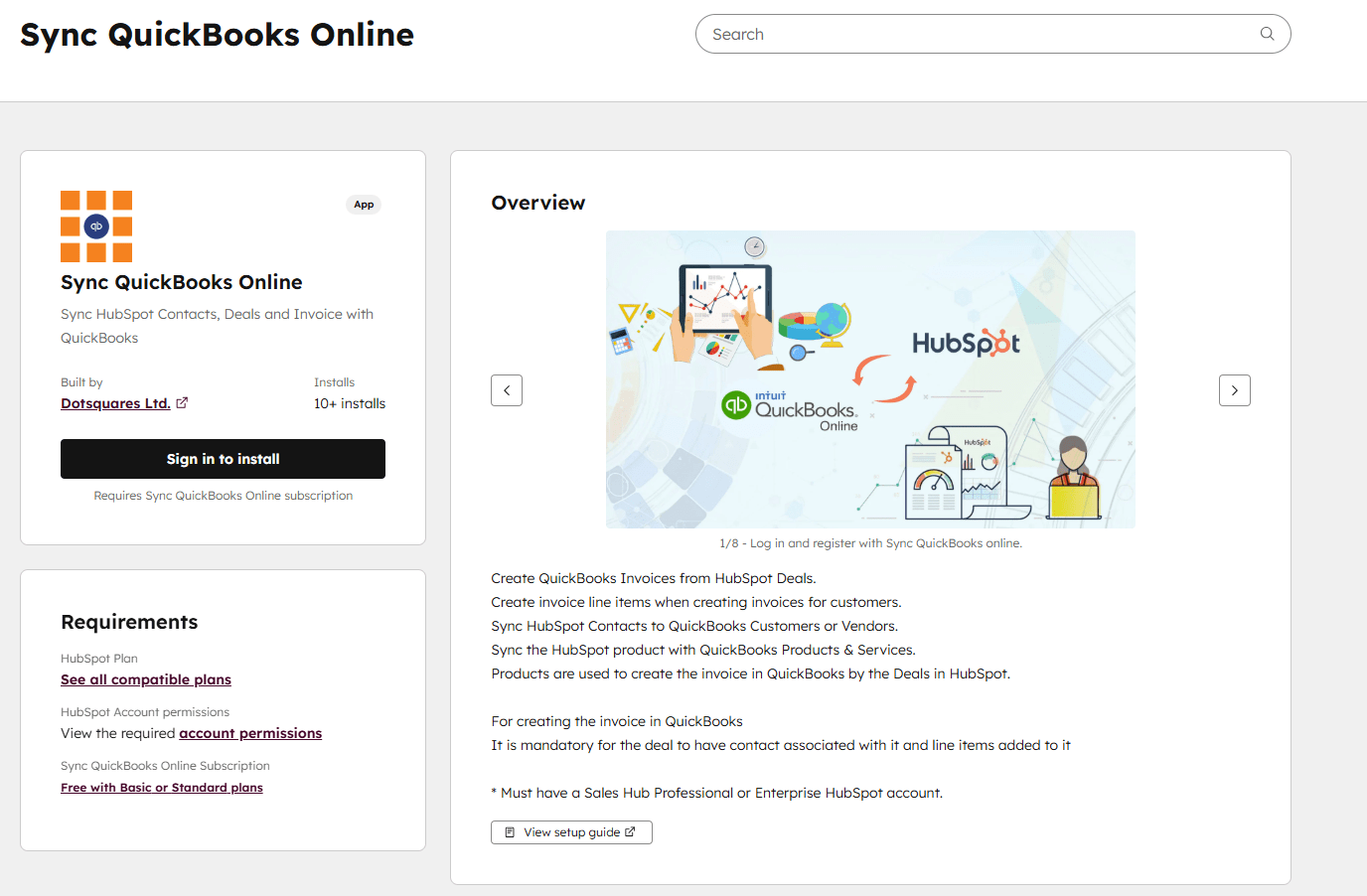
We’re Live on the HubSpot Marketplace!
Big news! We’re absolutely thrilled to announce that our app, Sync QuickBooks Online, is now officially available on the HubSpot Marketplace.
We know how frustrating it is when your sales team is flying high and your finance team is stuck wrestling spreadsheets. That annoying disconnect stops now! We’ve built this integration to be the super-smart bridge between the two most important sides of your business.
This means managing your business just got way easier. With this connection, you can:
- Ditch the Manual Updates: QuickBooks and HubSpot talk to each other automatically. Customer info, invoices, payments—it all stays perfectly in sync without anyone lifting a finger.
- Stop Doing Boring Work: Automate things like invoice creation when a deal closes. You eliminate repetitive data entry and give your team back precious time to focus on customers and strategy.
- See the Money in Real Time: Track customer payment status and invoices directly inside HubSpot. No more guessing; you always know exactly who owes what.
- Get Everyone on the Same Page: Finally, your sales, marketing, and finance teams share the same, accurate data. Everyone works with confidence, and collaboration actually works.
- Make Smarter Decisions: Your reports suddenly get powerful. By linking customer activity with actual revenue, you can forecast better and know exactly which efforts are truly profitable.
You aren’t just connecting two software programs; you’re creating a smoother, smarter, and much more efficient way to run your entire business.
The Smart Solution: A Single View of Truth
The HubSpot-QuickBooks Online integration fixes all of this by making sure your data flows automatically between your sales and finance systems. It’s like a super-smart assistant that handles all the boring details for you.
Once the system is set up, everything changes. The second a deal is marked "Closed Won" in HubSpot, an invoice is automatically created in QuickBooks Online. There's no manual typing, no emails, and no typos. The data is pulled directly from the deal record in HubSpot, so it’s always accurate and up-to-date.
A Closer Look at the Strategic Benefits
This integration is about much more than just saving time. It fundamentally changes how your business operates, giving you a serious advantage.
- Everyone Is Informed: Sales reps can now see if a customer has an outstanding bill before they even make a new pitch. This helps them know exactly who to follow up with. Your support staff can see a customer's full payment history right on their contact record, so they can help with billing questions instantly. It puts information where it needs to be, for everyone.
- Seamless Workflows: You can set up awesome automations. For example, you can create a HubSpot workflow that sends an alert to your accounting team the moment a customer's invoice is paid. This removes the need for annoying check-ins and keeps the entire process running smoothly.
- Smarter Decisions: When your sales and financial data are in one place, you can build reports you couldn't before. You can track the real ROI of your marketing campaigns—not just leads, but actual revenue. This gives you the kind of clear insight you need to make confident business decisions.
Getting Started is Simpler Than You Think
You don't have to hire a developer to build this bridge. One of the best parts about using a powerful marketplace like HubSpot’s is that essential tools are ready to go. The QuickBooks Online integration is one of those simple but powerful additions, making it easy for you to unify your systems without any heavy lifting.
If you need help setting up advanced custom workflows or tailoring the sync to your unique business logic, our team, as an experienced HubSpot Consulting Company, is ready to help you maximize your investment.
- Find the Official Listing: Go straight to the HubSpot Ecosystem (or Marketplace). The QuickBooks Online integration is officially listed there.
- Connect Your Accounts: Log into both your HubSpot and QuickBooks accounts. It's a secure process that walks you through everything.
- Choose What to Sync: This is where you tell the system exactly what data you want to share. You can sync contacts, invoices, and products, and set up custom rules to match how you do business.
- Turn It On: Once you've set your preferences, just flip the switch. Your teams will start to feel a new level of efficiency almost immediately.
The End of the Disconnect
The days of your sales and finance teams living in two separate worlds are over. The HubSpot-QuickBooks Online integration is a powerful but simple solution to a huge business problem. It’s more than just a tool; it's a way to get everyone on the same page, eliminate costly mistakes, and give your whole company a clear view of your customers. By finally connecting these two groups, you're not just making things easier—you’re making your business smarter, faster, and ready to grow.


Related Post

 October 15, 2026
Low-Code Integration: What It Is, How It Works and When Businesses Should Use It
Learn how low-code integration connects business apps and APIs, its key benefits, common use cases, limitations, and when to choose custom integration.
Keep Reading October 15, 2026
SAP BW to Cloud Migration: Benefits, Challenges and Planning Steps
Learn about SAP BW to cloud migration, including benefits, challenges, AWS options, cost factors and planning steps for a successful migration.
Keep Reading October 12, 2026
Mobile App Development with React Native and What You Need to Know
Learn how React Native works, where it saves time and cost, which industries use it, and whether it's still a good choice in 2026.
Keep Reading